
It is one of the most common questions business owners ask: can you delete a Google review? The honest answer depends on who is asking. The reviewer can delete their own review at any time. You, as the business, cannot delete it, but you can ask Google to remove it if it breaks the rules.
The short answer is that you cannot delete a Google review yourself, and nobody can do it for you in the sense of pressing a button. That surprises many business owners, especially after a particularly harsh or unfair review. What you can do is understand who controls the review, what Google is willing to remove and which options you have if it stays.
This guide is written for business owners, managers and marketing teams who want a clear, honest picture. It explains the limits of what is possible and the steps that give you the best realistic outcome.
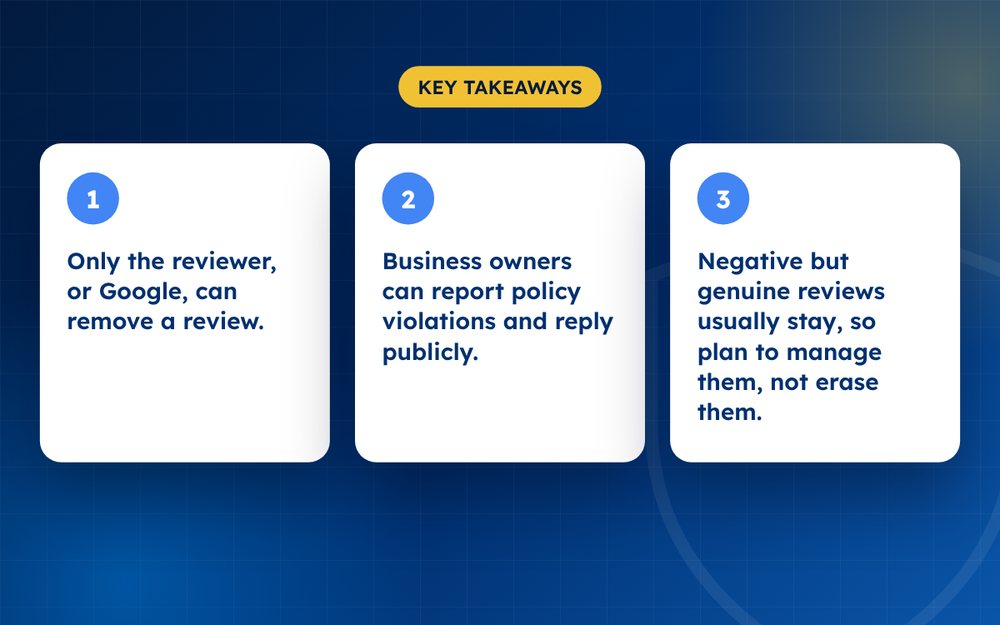
- Only the reviewer, or Google, can remove a review.
- Business owners can report policy violations and reply publicly.
- Negative but genuine reviews usually stay, so plan to manage them, not erase them.
Who can delete a Google review?
- The reviewer. They can edit or delete their review from their own Google account
- Google. It removes content that violates its policies, either automatically or after a report
- Nobody else. Not the business owner, an agency or a lawyer can simply delete it
What Google will remove
Google's content policies cover spam and fake engagement, off-topic content, restricted content, illegal content, sexually explicit material, offensive language, harassment, conflicts of interest and impersonation. If a review clearly matches one of those categories, you have a case.
What Google will not remove
- Reviews that are negative but based on a real experience
- Reviews you believe are exaggerated, unfair or badly written
- Reviews that criticise your prices, service or staff without breaking a rule
- Old reviews, simply because they are old
Your options, from strongest to weakest
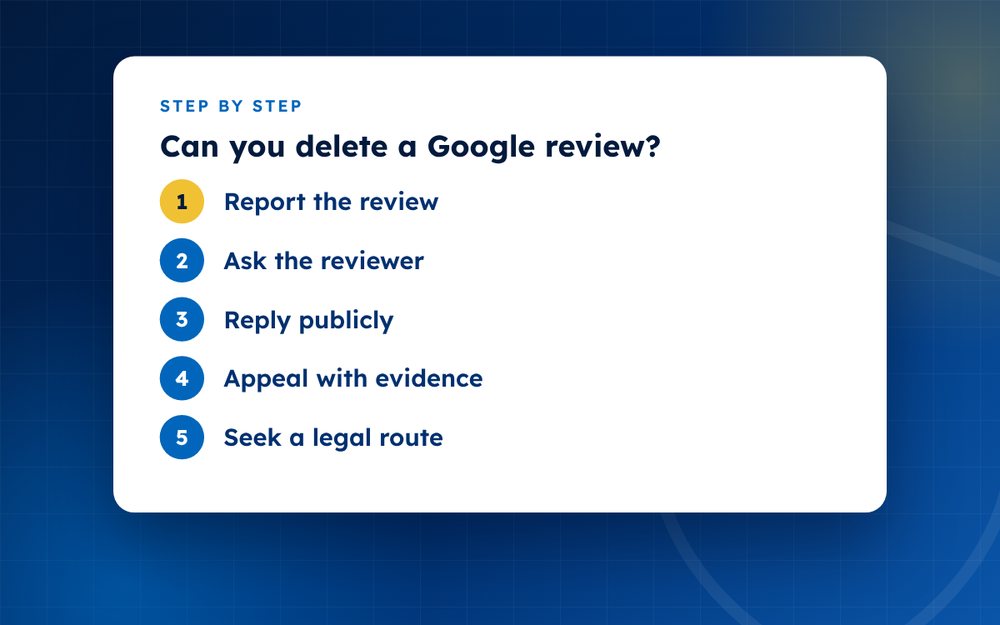
- Report the reviewFlag it from your Business Profile with the most accurate reason. This is the main route and it is free.
- Ask the reviewerIf the complaint is genuine, resolve it with the customer. Many people will update or remove a review once the problem is fixed. Never pay or pressure them.
- Reply publiclyA calm, professional response often matters more to future customers than the review itself.
- Appeal with evidenceIf Google rejects your report, appeal once with clear proof, for example records showing the reviewer was never a customer.
- Seek a legal routeFor defamatory content, a legal removal request may be possible, but it depends on your country and facts. A qualified lawyer should advise.
Why Google keeps most reviews
Google's position is that reviews help people decide where to go and what to buy. Removing reviews that are merely negative would make that information less useful. So its policies are built to remove content that is spam, fake, abusive or illegal, but to leave honest opinions, even harsh ones, in place.
That has an important consequence. If a review describes a real experience, a refund argument, long waiting times or poor service, it is very likely to stay. The better question to ask is not whether you can delete it, but how you can respond to it and offset it.
When the reviewer can help
If the review comes from a real customer with a genuine complaint, the best route may be to put the problem right. Contact the customer through the details you already have, apologise where appropriate and fix what you can. Many people update or remove a review once they feel heard. Never offer money, discounts or gifts in exchange for deleting or changing a review. That breaks Google's rules, and it can also be unlawful in some countries.
How to protect your rating long term
- Ask every customer for a review, not only the ones you think are happy
- Send a short review link after each purchase or service
- Reply to every review, positive or negative, in a consistent and professional tone
- Fix recurring problems that appear in several reviews
- Check your reviews weekly so you can react quickly to anything suspicious
A business with hundreds of recent, balanced reviews is much less affected by one unfair review than a business with a handful. Over time, volume and recency do more for your reputation than removals.
Build a rating that is resilient
No business avoids every bad review. What protects you is a large number of recent, genuine reviews. Make it easy for customers to review you with a short link in your receipts or follow up messages, and respond to every review, positive or negative.
Official sources
Frequently asked questions
Can I delete a bad review if I own the business?
No. Business owners cannot delete reviews. You can report a review that breaks Google's policies and reply to it publicly. Google decides whether to remove it. If you manage several locations, the same applies to each Business Profile.
Can a reviewer remove their review after I reply?
Yes. Reviewers can edit or delete their own review at any time, and a respectful reply that resolves the problem sometimes leads them to do exactly that. Do not pressure them or ask them in a way that feels like a demand. Offer to help, and leave the decision to them.
Is it legal to pay to have a review removed?
Offering payment or incentives in exchange for removing or changing a review breaks Google's rules, and in many countries it may also breach consumer protection or advertising law. It is not a safe option. Use the report and appeal routes, reply publicly and work on generating genuine reviews instead.
Why was my report rejected?
Most rejections happen because the review did not clearly break a policy, the wrong category was chosen or no evidence was provided. Re-read the policies, choose the category that fits best and add short, factual detail. If you still believe the review breaks the rules, appeal once with clear evidence.
Can I hide a review from my profile?
Google does not let owners hide reviews. A review stays visible for as long as it remains published, unless the reviewer deletes it or Google removes it for breaking a policy. The practical alternatives are to reply professionally, resolve the customer's issue where there is one and gather more genuine reviews so that a single review carries less weight.
Should I reply to every negative review?
In most cases yes. A reply shows that you take feedback seriously and gives you a chance to state facts calmly. Keep it short, avoid arguing and never share private customer details in a public reply.
Need help with this?
Every situation is different. Email us the details in confidence and we will reply with an honest assessment of what can be done.
Contact us by email Google ReviewsThis guide is general information, not legal advice. DMCA Reputation is not a law firm.
Related guides
How to Remove a Google Review: A Complete Guide for Business Owners
How to remove a Google review: what Google will remove, how to report it, how to appeal and what to do if it stays. A guide for business owners.
Read the guide · 6 min
How to Report a Fake Google Review, Step by Step
How to report a fake Google review step by step: spotting fakes, flagging from your Business Profile, evidence to gather and what to do if it stays.
Read the guide · 5 min
What to Do When Google Rejects Your Review Removal Request
What to do when Google rejects your review removal request: why it happens, how to appeal, how to strengthen the case and what else you can try.
Read the guide · 5 min