
A fake Instagram account that copies your name and photos can damage your reputation, scam your followers and cause real distress. Instagram takes impersonation seriously, and most cases can be reported within minutes.
Impersonation accounts on Instagram are common, especially for creators, small businesses and anyone with a public following. They are used to scam followers, steal photos and damage reputations. Because Instagram prioritises impersonation reports, most are resolved quickly if the report is clear.
It helps to act early. The longer a fake account runs, the more followers it collects and the more damage it can do.
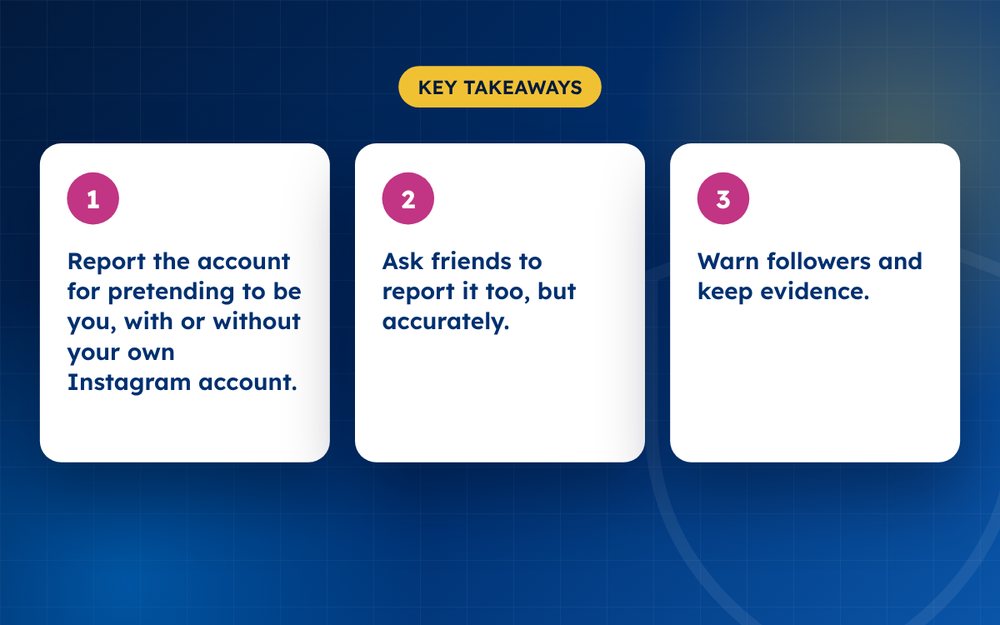
- Report the account for pretending to be you, with or without your own Instagram account.
- Ask friends to report it too, but accurately.
- Warn followers and keep evidence.
Reporting steps
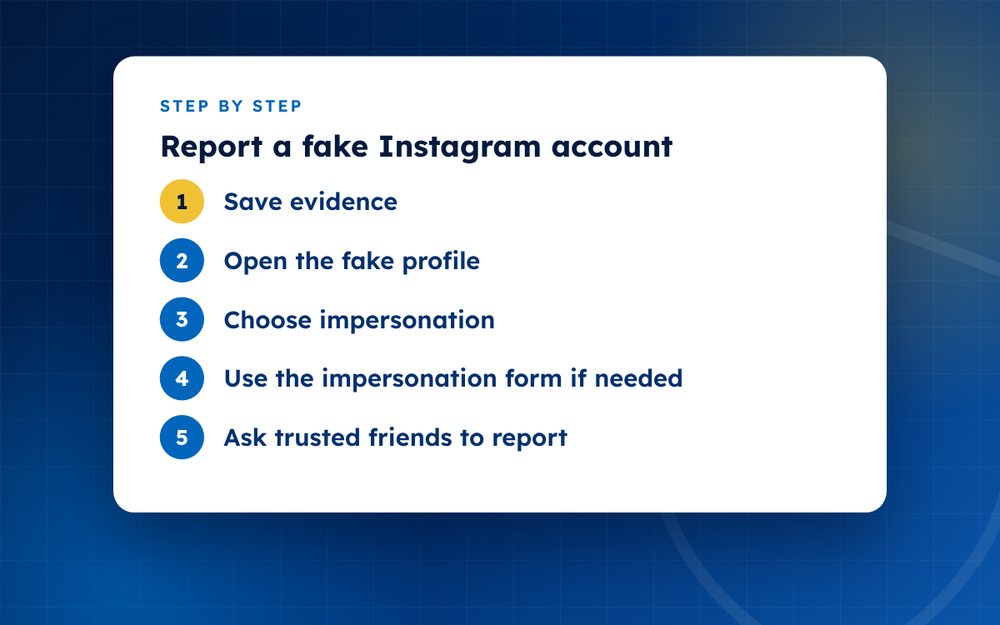
- Save evidenceScreenshot the profile, the username and any messages sent to others. Copy the profile URL.
- Open the fake profileTap the three dots at the top and choose to report.
- Choose impersonationSelect that the account is pretending to be someone, and choose you, someone you know or a business.
- Use the impersonation form if neededIf you do not have an account, or the in-app report is not enough, use Instagram’s online impersonation report form. You may be asked to verify who you are.
- Ask trusted friends to reportA few genuine reports can help, but do not mass report or use fake accounts.
- Warn your followersPost a short notice on your real account that a fake exists and that people should not respond to it.
- Check other platformsImpersonators often copy several networks. Search your name on Facebook, TikTok and X.
What Instagram looks for
Instagram's rules prohibit accounts that pretend to be someone else in a way that misleads. A fan account that is clearly labelled is usually acceptable. An account that uses your name, photos and bio to appear to be you is not. If the account contacts your followers and asks for money, that is also fraud.
Protecting your followers
- Post a story or message that tells followers you only have one account
- Ask followers not to respond to messages from the fake account
- Report scam messages directly to Instagram
- Consider adding your handle to your other platforms so people can check it
Preparing your report
Save links and screenshots of the profile, posts and messages. If you are asked to verify your identity, have a government ID ready, although you should only provide it through Instagram's official forms. Never send ID documents by email or to people claiming to be Instagram support.
Preventing a repeat
Impersonators often return with new accounts. Search your name and variations regularly, keep your own profile complete and consider applying for verification if you meet the criteria. If you run a business, include your official handle on your website.
What to do if the fake account contacts you or your friends
Impersonators often message friends, family and followers and ask for money, codes or personal details. If you receive a message from a fake account, do not reply. Take a screenshot, report the message and block the account. Tell your contacts through another channel, such as a call or a text, that the account is not yours.
If someone has already sent money or shared sensitive information, they should contact their bank or the relevant service provider right away and report the incident to their local fraud authority.
If the fake is scamming people
Report it as a scam as well, tell your bank if money is involved and report to your national fraud authority. Keep all evidence.
Protect yourself
- Turn on two-factor authentication
- Keep your account private if you prefer
- Consider a verified badge if you qualify
- Set up alerts to spot new fakes early
If a fake account is part of a wider campaign against you, email us for a confidential assessment.
Frequently asked questions
How long does Instagram take to remove a fake?
Often a day or two, but it can take longer. Repeat the report with more evidence if nothing happens after several days. Ask trusted followers to report it accurately as well, and keep screenshots in case you need to escalate.
Do I need an Instagram account to report?
No. Instagram provides an online form for people without accounts to report impersonation. You may be asked to confirm your identity. Do not share ID documents except through Instagram's official forms.
Can I find out who made it?
Not usually. Instagram does not share this information without legal process. Focus on removal and protecting your followers. If the account is part of harassment or fraud, the police or a lawyer may be able to seek more information.
What if it is not removed?
Report again with additional details, ask trusted followers to report it accurately and consider seeking help from a specialist. Make sure you used the impersonation category, and include links to your real profile to show the difference.
What if the fake account has my photos?
Report it as impersonation. If you took the photos, you can also use Instagram's copyright reporting form, which sometimes leads to faster action. Keep copies of your original files and dates as evidence of ownership.
Should I contact the fake account?
No. Do not engage. Document, report and block. Contact can encourage further abuse or lead the impersonator to delete evidence. Tell your followers through your real account instead.
Need help with this?
Every situation is different. Email us the details in confidence and we will reply with an honest assessment of what can be done.
Contact us by email Fake Social Media ProfilesThis guide is general information, not legal advice. DMCA Reputation is not a law firm.
Related guides
How to Remove a Fake Facebook Profile
How to remove a fake Facebook profile impersonating you: reporting steps, the impersonation form and protecting your real account.
Read the guide · 3 min
How to Report a Fake X (Twitter) Account
How to report a fake X (Twitter) account impersonating you: what X's impersonation policy covers and how to report.
Read the guide · 3 min
How to Remove a Fake LinkedIn Profile
How to remove a fake LinkedIn profile using your name or photo: reporting steps and protecting your professional identity.
Read the guide · 3 min