
A fake Facebook profile can mislead friends, scam family or damage your reputation. Facebook lets you report impersonation, even if you are not logged in.
A fake Facebook profile can cause real damage. Impersonators use stolen photos to add your friends and family, send messages asking for money or spread false stories. Because Facebook is so widely used, the impact can be fast.
Facebook takes impersonation seriously, and there are reporting routes for both account holders and people who do not have an account.
- Report the profile as pretending to be you.
- Use the impersonation form if needed.
- Warn your contacts.
Steps
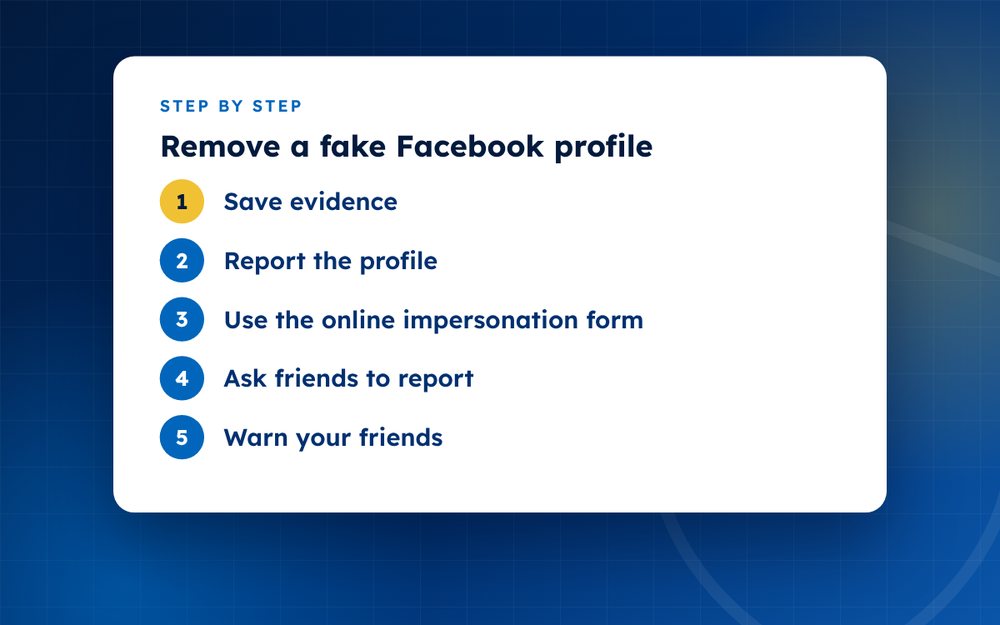
- Save evidenceScreenshot the profile and copy its URL.
- Report the profileOpen the profile menu, choose find support or report and select pretending to be someone.
- Use the online impersonation formIf you do not have an account, or the first report fails, use Facebook's impersonation report form.
- Ask friends to reportA few genuine reports help.
- Warn your friendsPost a notice that a fake profile exists.
- Secure your accountUse strong passwords and two-factor authentication.
What counts as impersonation
Facebook's rules prohibit accounts that pretend to be someone else in a way that misleads. A profile that uses your name and photos, copies your details and contacts your friends is a clear case. Parody and fan pages are treated differently if they are clearly labelled, so be precise about what the fake is doing.
Reporting step by step
- Open the fake profile and copy its address
- Use the menu on the profile to find support or report
- Choose the option for pretending to be someone and say who it is pretending to be
- If you do not have an account or the report does not work, use the online impersonation form
- Provide proof of your identity if asked, through the official form only
Warning your network
Tell friends and family that a fake exists, and ask them not to accept requests or reply to messages from it. Ask them to report the profile as well. A post on your real account is a good way to reach many people at once, but you can also send direct messages to those closest to you.
After removal
Impersonators sometimes return with new accounts. Search for your name and photos periodically, check the privacy settings on your real profile and limit who can see your friends list. If money was taken from anyone, advise them to contact their bank and report the fraud to the authorities.
If the fake profile is used for scams
Fake Facebook profiles are often used to message friends and ask for emergency money, to promote fake investments or to share links that steal passwords. If you learn that a friend has already sent money or clicked a suspicious link, encourage them to contact their bank, change passwords and report the incident to their local fraud authority. Time matters in these cases.
Keep a list of who has been contacted, so that you can follow up, and record any payment details the scammer gave. Police or fraud agencies may find the information useful.
Email us if the fake is part of a larger campaign.
Frequently asked questions
Do I need a Facebook account?
No. Facebook has an online form that people without accounts can use to report impersonation. You may be asked to confirm your identity, so be ready to provide appropriate proof through the official form.
Will they ask for ID?
Possibly. Facebook may ask for identification to confirm that you are the person being impersonated. Only provide it through Facebook's official forms, and be suspicious of anyone who asks for it by email or in messages.
How long does removal take?
Often a few days, though it can be faster or slower. If the fake profile is being used for fraud or harassment, say so in your report. Ask friends to report as well, and follow up if you hear nothing.
What if it comes back?
Report the new account and mention that this is a repeat. Keep a list of the accounts and the dates. Consider tightening your privacy settings and asking friends not to accept unknown requests.
Can I find out who made it?
Not through Facebook. The platform does not share account owner details without legal process. If the impersonation is part of harassment or fraud, the police or a lawyer can advise.
Should I message the fake profile?
No. Contact can encourage the impersonator or lead them to delete evidence. Save screenshots, report and block.
Need help with this?
Every situation is different. Email us the details in confidence and we will reply with an honest assessment of what can be done.
Contact us by email Fake Social Media ProfilesThis guide is general information, not legal advice. DMCA Reputation is not a law firm.
Related guides
How to Report a Fake Instagram Account Impersonating You
How to report a fake Instagram account impersonating you: reporting steps, what to do without an account, evidence and next steps.
Read the guide · 4 min
How to Report a Fake X (Twitter) Account
How to report a fake X (Twitter) account impersonating you: what X's impersonation policy covers and how to report.
Read the guide · 3 min
How to Remove a Fake LinkedIn Profile
How to remove a fake LinkedIn profile using your name or photo: reporting steps and protecting your professional identity.
Read the guide · 3 min