
Fake job postings that use your company name trick candidates into giving money or personal data. Reporting them quickly and warning candidates protects people and your reputation.
Scammers post attractive jobs, run fake interviews and ask for fees, equipment purchases or identity documents. Victims blame the company named, and complaints can reach your inbox.
Job boards, social networks and messaging apps all have report tools, and you can add a clear notice on your careers page.
The victims are job seekers, but the damage lands on your brand. Responding quickly and openly shows you take it seriously, and may protect people who would otherwise lose money.
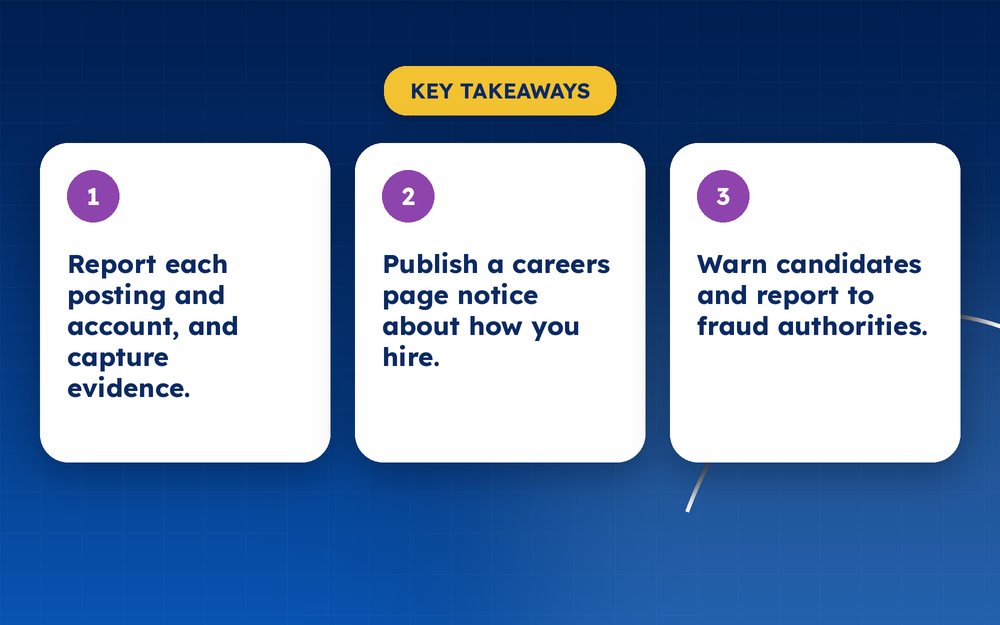
- Report each posting and account, and capture evidence.
- Publish a careers page notice about how you hire.
- Warn candidates and report to fraud authorities.
What to do, step by step
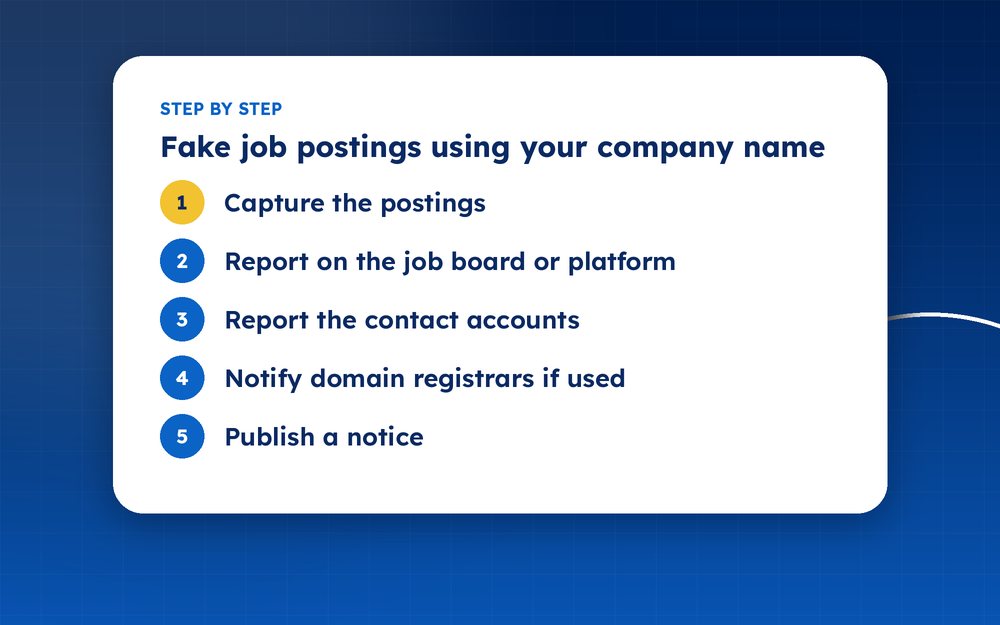
- Capture the postingsScreenshot the post, the account and the contact details. Save each posting with the link, contact details, date and any messages. Note which job boards and social channels are used.
- Report on the job board or platformUse impersonation and scam report routes. Report the posting as fraud or fake on the job board, with a short explanation that the role does not exist at your company.
- Report the contact accountsReport email, social and messaging accounts used. Report the email addresses, messaging accounts or profiles used to contact candidates, using each platform's fraud and impersonation routes.
- Notify domain registrars if usedFake careers domains can be reported. If the scam uses a lookalike domain for emails or applications, report it to the registrar and host.
- Publish a noticeTell candidates how you recruit and what you never ask for. Post a clear notice on your careers page listing your real hiring process, official email domain and that you never ask candidates to pay.
- Inform HR and customer teamsPrepare staff to respond to enquiries. Tell HR, support and customer teams so they can recognise and redirect people who contact you.
- Report to authoritiesFraud bodies take reports. Report to fraud and cybercrime bodies, and consider contacting the police if people have lost money.
How these scams work
Typical signs include messaging apps for interviews, requests for payment for equipment or training, and email addresses on free domains. Real candidates may lose money, so your notice should say clearly that you never charge fees.
Your careers page notice
List your official domains and recruiters, say that you do not request payments, and give a contact for reporting scams. Keep it visible.
Working with job boards
Job boards have teams that remove fake postings. Provide evidence that you did not post the job, and ask them to block the accounts.
Monitoring
Search your company name with jobs, and set alerts. Scammers repost under new accounts, so periodic checks help.
What a typical case looks like
A logistics company learns that candidates were asked to pay a "training fee" for a job listed under its name. HR saves the listings, reports them on three job boards and reports the messaging account used for interviews. The boards remove the listings within days. The company adds a notice to its careers page, tells recruiters to use only official email addresses and reports to the national fraud body.
Candidates who contacted HR could confirm the roles were fake, which prevented further loss.
Common mistakes to avoid
Do not ignore candidate emails. Do not skip the notice. Do not report without evidence. And do not delay.
How a specialist can help
A specialist team can find and report fake postings and accounts and monitor for new ones. We cannot promise every posting will go, but we will be honest about what is realistic. Email us in confidence.
Frequently asked questions
Can fake job postings be removed?
Usually yes. Job boards remove fraudulent listings when reported with clear evidence. Report each posting and the accounts behind it.
How do I warn candidates?
Add a notice to your careers page and application emails explaining your process, your official email domain and that you never ask for payment.
What if candidates have lost money?
Encourage them to contact their bank and local fraud body, and offer to confirm the fraud in writing.
Will the scammers stop?
They may repost under new names. Search regularly and report quickly.
Should I tell the police?
If people lost money, yes. Provide your evidence and any candidate reports.
Is this legal advice?
No. It is general information. For claims, speak to a qualified lawyer.
Need help with this?
Every situation is different. Email us the details in confidence and we will reply with an honest assessment of what can be done.
Contact us by email Brand infringement removalThis guide is general information, not legal advice. DMCA Reputation is not a law firm.
Related guides
How to Remove Counterfeit Listings From Amazon and Marketplaces
How to remove counterfeit listings from Amazon and marketplaces: brand registries, report forms, evidence, test buys and repeat seller action. General information.
Read the guide · 3 min
How to Remove Fake Telegram Channels Using Your Name
How to remove fake Telegram channels using your name: report in app, email Telegram, document impersonation and warn your audience. A practical guide.
Read the guide · 3 min
How to Protect Your Brand From Fake Social Media Accounts
How to protect your brand from fake social media accounts: registration, verification, monitoring and a fast takedown process.
Read the guide · 3 min