
Phishing sites that imitate your brand put your customers at risk. Speed matters, so report to every provider that can block or remove the site.
Phishing pages collect logins, payment details or personal data by pretending to be you. They usually live for a short time, so fast reporting to multiple providers is the best defence.
The usual targets are the host, the registrar, browser safe-browsing services and email providers, plus search engines.
Phishing sites are often live for only hours or days, so your response is a race. A short checklist prepared in advance, with the contacts you will need, can save precious time.
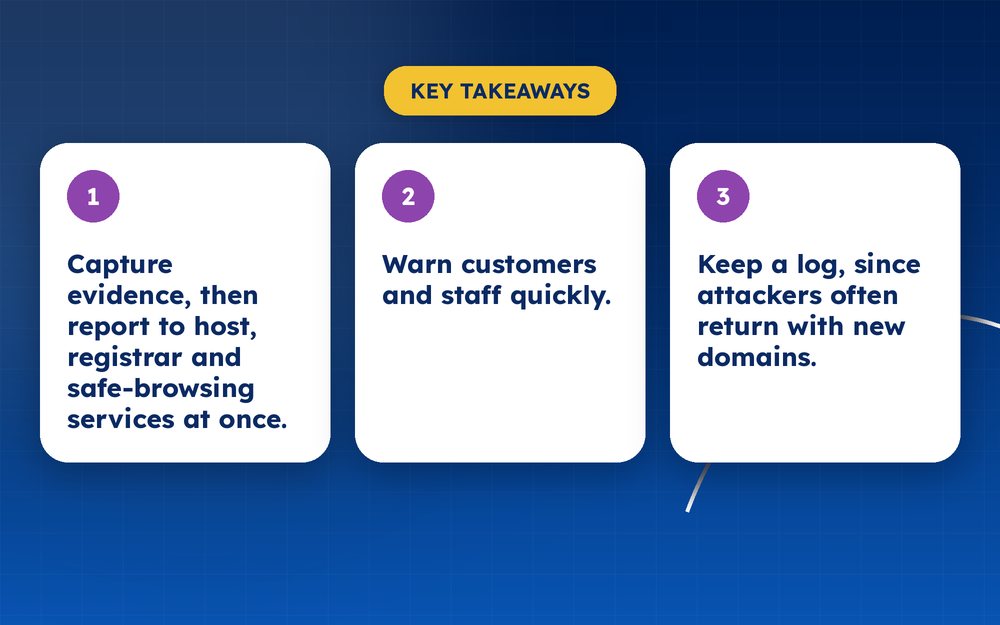
- Capture evidence, then report to host, registrar and safe-browsing services at once.
- Warn customers and staff quickly.
- Keep a log, since attackers often return with new domains.
How to report, step by step
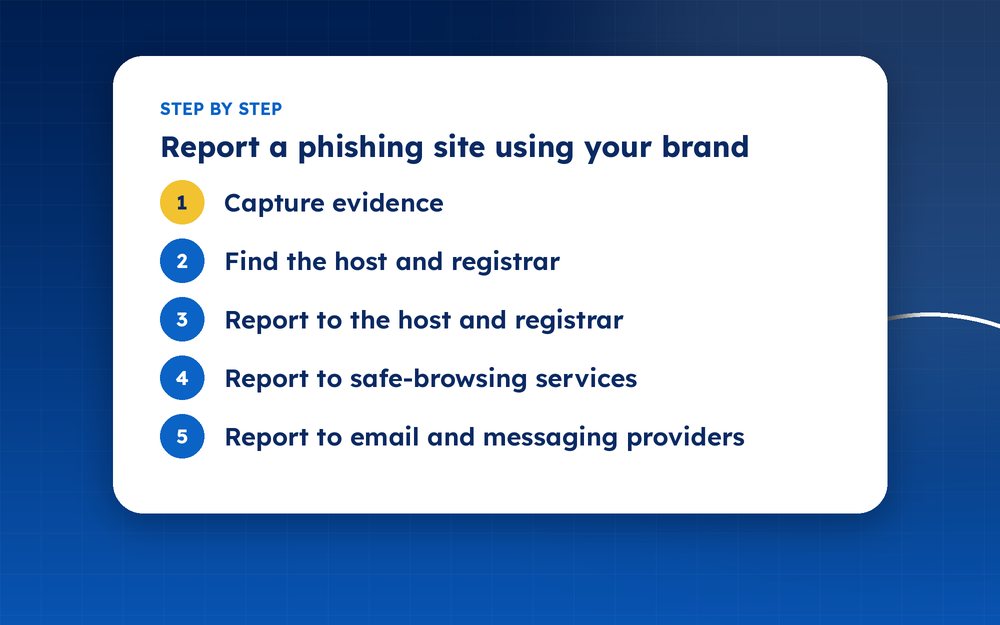
- Capture evidenceScreenshot the page and save the address, without entering any details. Save the web address, screenshots, page source and any emails or messages that lead to it. Do not enter any details on the site, and do not click links from a device you rely on.
- Find the host and registrarUse lookup tools to identify them. Look up the host and registrar for the site and copy their abuse contacts. If the site sits behind a protection service, report there as well.
- Report to the host and registrarSend abuse reports with your evidence. Send a short report with the link, your brand name, a screenshot and a statement that the site is fraudulent. Ask for suspension and for the account details to be preserved.
- Report to safe-browsing servicesReport the page to browser and security services so it gets flagged. Submit the address to the main browser warning and safe browsing services so users see warnings. This often takes effect faster than removal.
- Report to email and messaging providersIf it is spread by email or SMS, report it there too. Report the emails, texts or social posts that spread the link to the providers involved. They can block the sender and the links.
- Warn customersPost a short warning on official channels. Tell customers what is happening, what to look for and what to do if they entered details. Give them a real contact route.
- Report to authoritiesFraud and cybercrime bodies take reports. Report to your national fraud or cybercrime body and, if you need, the police. Records help later with investigations.
Why speed matters
Phishing sites often disappear in days, but they can cause real harm quickly. Reporting to browsers can protect users within hours by showing warnings, even before takedown.
What to tell customers
Say that the site is fake, how to recognise real communications from you and what to do if they entered details, such as changing passwords and contacting their bank.
Takedown services and tools
Some organisations offer brand protection and takedown services. Whether you use one or handle it yourself, keep records of reports and responses.
Reducing risk
Use email authentication, monitor for lookalike domains and train staff to report suspicious messages.
What a typical case looks like
A bank branch hears from a customer who received a text with a link to a login page with the bank's logo. The security team saves the page, finds the host and registrar, and sends reports to both within an hour. They submit the link to browser warning services, which flag it in a few hours. The host suspends it the next day. Meanwhile they send a notice to customers and report the sender numbers.
The warning services reduced harm before the host acted, which is why using several routes at once matters.
Common mistakes to avoid
Do not enter details to test the page. Do not delay reports. Do not forget safe-browsing services. And do not ignore customer reports.
How a specialist can help
A specialist team can report phishing sites to every provider and monitor for lookalike domains. We cannot promise every site will be removed quickly, but we will be honest about what is realistic. Email us in confidence.
Frequently asked questions
How fast can a phishing site be taken down?
Responsive hosts can act within hours, though some take days. Browser warnings can start protecting users much sooner, so report to those at the same time.
Who should I report to?
The host, the registrar, safe browsing services, the providers that carry the emails or messages, and your national fraud body. Each can limit the harm in a different way.
Should I contact the police?
For significant fraud, yes. They may not act quickly on every case, but your report creates a record and can link incidents.
What should I tell customers?
Explain what to look for, that you will never ask for details in that way, and what to do if they already entered information, such as changing passwords and contacting their bank.
Can I prevent phishing sites?
You cannot stop every attempt, but you can monitor for lookalike domains, use email authentication and train customers to recognise real messages.
Is this legal advice?
No. It is general information. For claims against fraudsters, speak to a qualified lawyer.
Need help with this?
Every situation is different. Email us the details in confidence and we will reply with an honest assessment of what can be done.
Contact us by email Brand infringement removalThis guide is general information, not legal advice. DMCA Reputation is not a law firm.
Related guides
How to Remove Fake Customer Support Numbers That Use Your Brand Name
How to remove fake customer support numbers that use your brand name: find listings, report to search and map platforms, warn customers and cut off the scammers.
Read the guide · 3 min
What to Do About Domain Squatting on Your Brand
What to do about domain squatting on your brand: how to assess the risk, use UDRP and URS complaints, contact registrars and prevent future squatting. General information.
Read the guide · 4 min
How to Protect Your Brand From Fake Social Media Accounts
How to protect your brand from fake social media accounts: registration, verification, monitoring and a fast takedown process.
Read the guide · 3 min