
Leaked content is often shared as links to cloud storage. The files can be removed by notifying the storage company, and the link lists can be dealt with separately.
Cloud storage services have copyright processes and rules against distributing infringing content. When your content is stored there and shared by link, a notice to the service can disable the link or delete the file.
The harder part is finding the links, since they are often posted in forums, chat groups and channels. Treat link removal and link hunting as one cycle.
Cloud links are often shared in posts and comments, so the file and the post that advertises it are two separate things. Dealing with both stops the content moving to a new link.
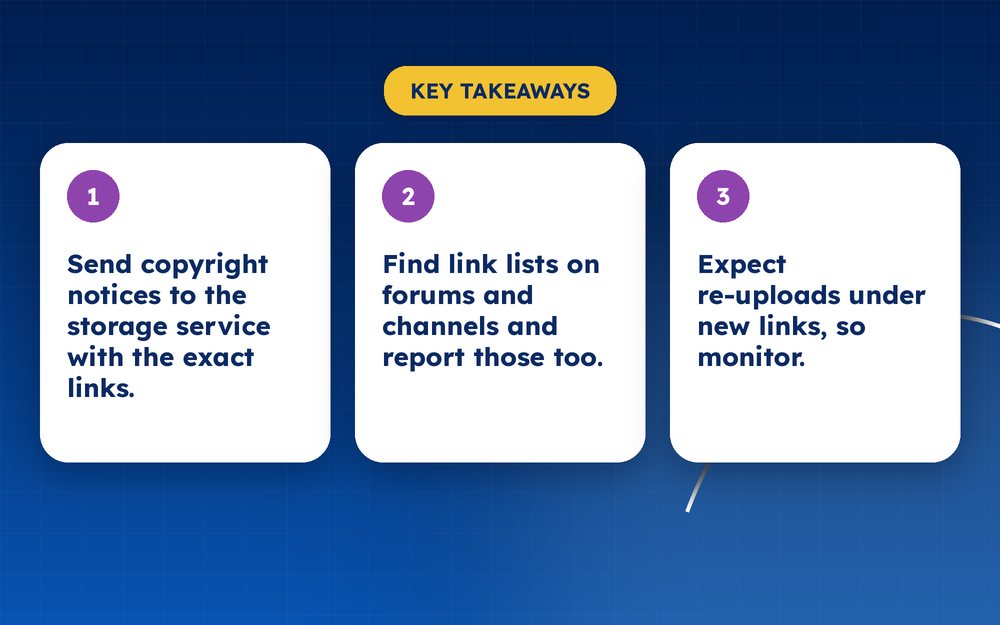
- Send copyright notices to the storage service with the exact links.
- Find link lists on forums and channels and report those too.
- Expect re-uploads under new links, so monitor.
How to remove it, step by step
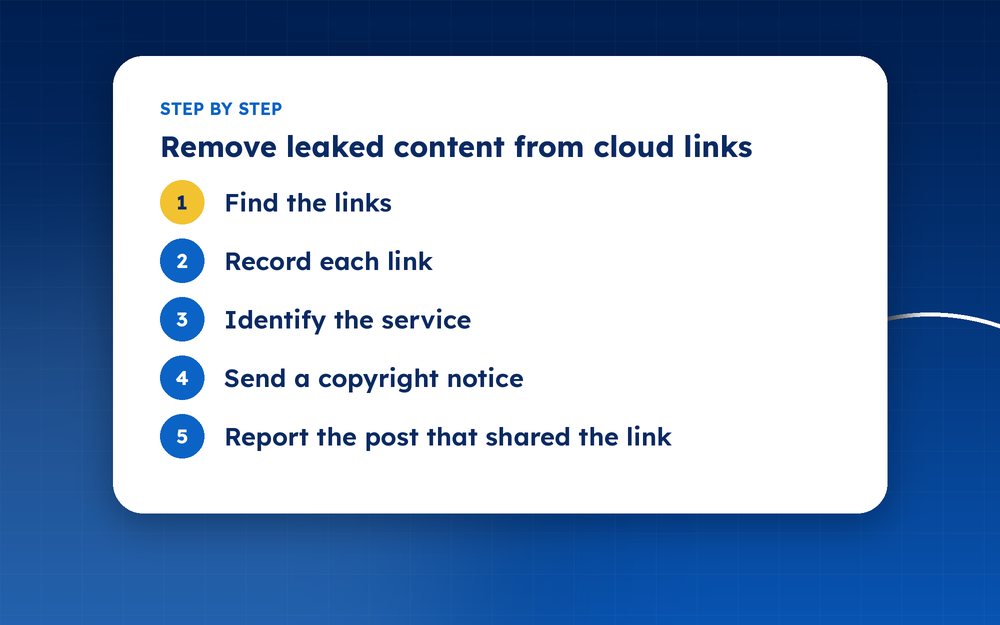
- Find the linksSearch forums, channels and leak sites for links to cloud storage, ideally with a helper. Search for links in posts, comments and forums. Copy the exact links.
- Record each linkSave the link and a screenshot of where it was posted. Record each link, where it was found, the file names and the date. Do not download the files if you can avoid it.
- Identify the serviceCheck which storage provider each link points to. Work out which service hosts each link, and find its copyright or abuse form.
- Send a copyright noticeUse the service's copyright form with your details and the exact link. Send a notice for each service with the exact links and your proof. Services often remove the files quickly.
- Report the post that shared the linkRemove the post or thread that contains the link, using copyright reports on that platform. Report the post that shared the link, so the audience cannot keep finding it.
- Check that the link is deadVisit later to confirm it no longer works. Check that the link no longer works. If it does, follow up.
- Monitor for new linksRe-upload is common. Keep checking and reporting. Links return in new forms. Search regularly and report quickly.
Why links keep coming back
Anyone with the files can upload them again and share a new link. Leak groups often keep archives and republish when links die. Removing links is therefore a repeated task, and the aim is to shorten each link's life.
Working with the storage company
Use the formal copyright form, not just a support email, and keep your messages factual. Some services take a few days, and some act fast on clear notices. Keep a log of each notice and the response.
Protecting your own cloud
If your own storage may have been compromised, change passwords, enable two-step login and check sharing settings. Review who has had access to your files.
Building a link-tracking routine
Create a simple table with the link, where you found it, the date you reported it, the response and whether it is dead. Check the dead ones again a week later, because links sometimes revive after a short pause.
Many leak groups repost link lists weekly, so a regular check on the same forums and channels pays off. If that sounds exhausting, it is a good job to hand to a helper or a service, with instructions to message you only when something needs your decision.
Over time you will see which hosts act fast and which are slow, and you can prioritise accordingly.
What a typical case looks like
A creator finds six cloud links in a forum thread. She records them, sends notices to two cloud services and reports the thread. The services disable the links in two days, and the forum removes the thread. A week later, new links appear, and she uses the same notices with new links.
Reporting both the files and the posts stopped the same content from being reshared.
Common mistakes to avoid
Do not download from the leaked links. Do not ask uploaders to delete without notices. Do not leave links alive while waiting for replies. And do not forget to remove the posts that advertise them.
How a specialist can help
Link hunting and notice sending can fill your week. A specialist team can find links, send notices and monitor on a routine basis. We cannot promise no new links will appear, but we will be honest about what is realistic. Email us in confidence.
Frequently asked questions
Can cloud links be removed?
Yes. Cloud services act on copyright and abuse reports, and often quickly.
Should I download the files for evidence?
Usually not. Screenshots and links are enough, and downloading can create risks.
Will links return?
Often under new links. Monitor and report.
Do I also report the post?
Yes. It stops the link being shared again.
How fast are cloud services?
Often days, sometimes faster.
Is this legal advice?
No. It is general information. For claims or court action, speak to a qualified lawyer.
Need help with this?
Every situation is different. Email us the details in confidence and we will reply with an honest assessment of what can be done.
Contact us by email OnlyFans leak removalThis guide is general information, not legal advice. DMCA Reputation is not a law firm.
Related guides
How to Remove Your Videos From Tube Sites
How to remove your videos from tube sites: use copyright notices, content removal forms, host escalation and search removal to take down pirated adult content.
Read the guide · 4 min
How to Report Someone Who Is Selling Your Content
How to report someone who is selling your content: gather evidence, report to the marketplace or platform, send copyright notices and cut off payment and promotion routes.
Read the guide · 4 min
How to Remove OnlyFans Leaks From Google and Websites
How to remove OnlyFans leaks from Google and websites: DMCA notices, search removal, platform reports and monitoring for creators.
Read the guide · 4 min