
Intimate images can be shared widely on X within hours. Acting quickly on the original post, its reposts and the accounts involved gives you the best chance of limiting the spread.
X has rules against sharing intimate or sexual content of someone without their consent, including images and videos. You can report posts and accounts, and you can ask for the content to be removed even if you do not use X yourself.
Because posts can be quoted and reposted, one image can turn into many copies. It helps to start with the original post and the accounts doing most of the sharing.
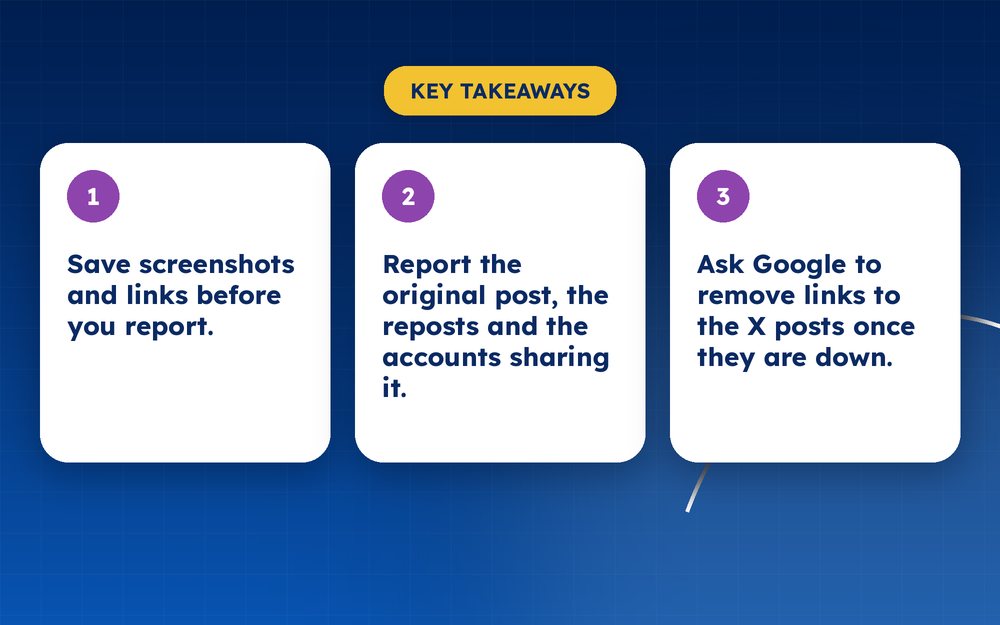
- Save screenshots and links before you report.
- Report the original post, the reposts and the accounts sharing it.
- Ask Google to remove links to the X posts once they are down.
How to remove it, step by step
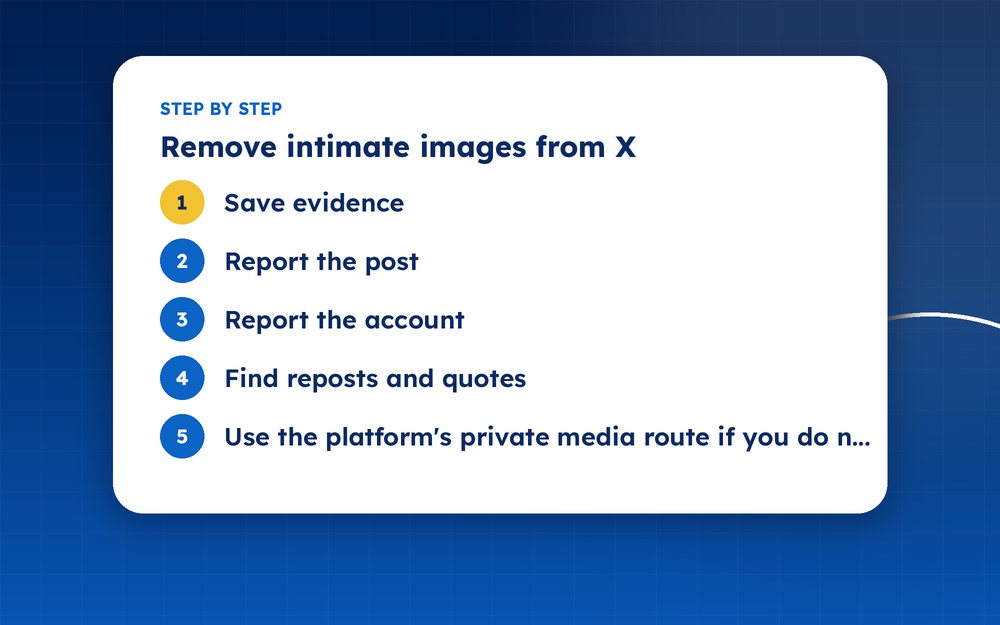
- Save evidenceScreenshot the post, the account name, the date and the post link. Do not engage with the post by liking or replying, which can make it more visible. Capture the post, the username, the date and the web address. Keep the evidence in a private folder.
- Report the postUse the report option on the post and choose the category for private or intimate media shared without consent. Add the link and say that you did not agree. Use the report option on the post and choose the category for non-consensual nudity or private media. Say that you did not consent.
- Report the accountIf the account keeps sharing similar content, report the account as well. Include the links to several posts if you can. Report the account too, because removing one post does not stop the user reposting.
- Find reposts and quotesSearch for the image description, your name and any captions to find copies. Report each one separately. Search for reposts, quotes and replies that contain the image, and report each one with its link.
- Use the platform's private media route if you do not have an accountYou can usually report without logging in. Look for the help page on private information and intimate media. If you do not have an account, there is a form that lets you report private media without signing in. Use the same details.
- Ask Google to remove the linksAfter X removes the post, ask Google to remove the link or refresh the cached page so it stops appearing in results. Once posts are down, ask Google to remove search results that still link to them.
- Use hash matching if you are an adultCheck whether X participates in StopNCII.org. If so, creating a hash may help block matching images on the platform. If you are an adult, you can create a case with StopNCII.org so participating platforms can block matching images.
Why blocking and muting matter
Blocking accounts that share the content, and muting words linked to it, reduces what you see. It does not remove the content, so it should go alongside reporting, not replace it.
What makes X different
Posts on X move quickly because they can be reposted and quoted in a single tap, and because search on the platform surfaces recent posts. A single image can appear in many accounts within hours. That is why early reporting matters, and why the original post is not the only target.
It also means a clear record is essential. Write down the account names, the post links and the time you reported each one. If a copy reappears under a new account, you can quote the earlier reports, which helps reviewers see a pattern.
Reducing the spread while you wait
While reports are being reviewed, you can limit what you see by muting words and blocking accounts. You can also tell trusted people not to reshare or reply, even to defend you, because that can increase reach. Ask a friend to search regularly and send you only the links of new copies so you can report them without looking.
If your account was hacked or images were stolen
Secure the accounts that held the images, such as cloud storage and email, and change passwords. This helps stop the same images being taken again. If you recognise the images as taken from a hacked account, tell the police.
What a typical case looks like
A woman finds an intimate image posted from an anonymous account and reposted by two others. She saves the links, reports the original post as non-consensual media, then reports each repost and the account. X removes the posts within two days and suspends the account. She asks Google to remove the cached results, and creates a hash case so that matching images are blocked on participating sites.
Working through reposts as well as the first post is what stopped it spreading again.
Common mistakes to avoid
Replying or quoting a post to defend yourself can widen its reach, so avoid it. Do not delete your own account before the content is down, because you may need it to track reports. Do not rely only on blocking, which hides content from you but does not remove it. And do not wait to see whether the post fades away, because search and reposts can keep it alive for a long time.
How a specialist can help
Reposts spread fast, and following every copy is tiring. A specialist team can find copies, report them in batches and track the outcome. We cannot guarantee every post will come down, but we can tell you what is realistic. Email us in confidence.
Frequently asked questions
Will X remove it if I report it?
Its rules prohibit sharing intimate media without consent, and reported content is normally removed once reviewed. Speed can vary, so keep your records.
Can I report if I do not have an X account?
Usually yes. Look for the privacy and intimate media reporting routes in X's help pages and use them with the links to the posts.
What if the post has already been shared widely?
Report the original and as many copies as you can. Ask Google to remove links so people cannot find the posts by searching your name.
Does deleting my account help?
No. It does not remove what others have posted, and you may lose the ability to report. Keep your account until the content is down.
What if the image is AI-generated?
The same routes apply. Say that the image is fake and falsely shows you.
Should I reply to the person posting it?
Usually not. Replying can attract more attention and may lead to harassment.
Need help with this?
Every situation is different. Email us the details in confidence and we will reply with an honest assessment of what can be done.
Contact us by email NCII removalThis guide is general information, not legal advice. DMCA Reputation is not a law firm.
Related guides
How to Remove Intimate Images From Telegram Groups and Channels
How to remove intimate images from Telegram groups and channels: gather links, report the content, email Telegram, deal with admins and what to do about re-uploads.
Read the guide · 5 min
How to Remove Intimate Images From Instagram, Facebook and WhatsApp
How to remove intimate images from Instagram, Facebook and WhatsApp: report to Meta, use hash matching, handle private chats and what to do if the content is on Messenger.
Read the guide · 5 min
How to Remove Non-Consensual Intimate Images (NCII), Step by Step
How to remove non-consensual intimate images (NCII): reporting, StopNCII.org, Google removal, legal options and support. A step-by-step guide.
Read the guide · 4 min