
Whichever platform hosts your course, leaks follow the same pattern: a buyer or insider copies the content and shares it. What differs is what the platform will do and what controls it offers.
Course platforms vary in what they offer for protection. Some let you restrict downloads, set device limits and view student activity, while others provide few controls. Check your settings and support documents, since features change.
Marketplaces such as Udemy also have their own rules about pirated copies of courses and about instructors. Use the platform's reporting routes along with copyright notices to the sites hosting the leaks.
Leaks from course platforms are usually traced to an account, which gives you a chance to handle them as a customer matter as well as a copyright matter.
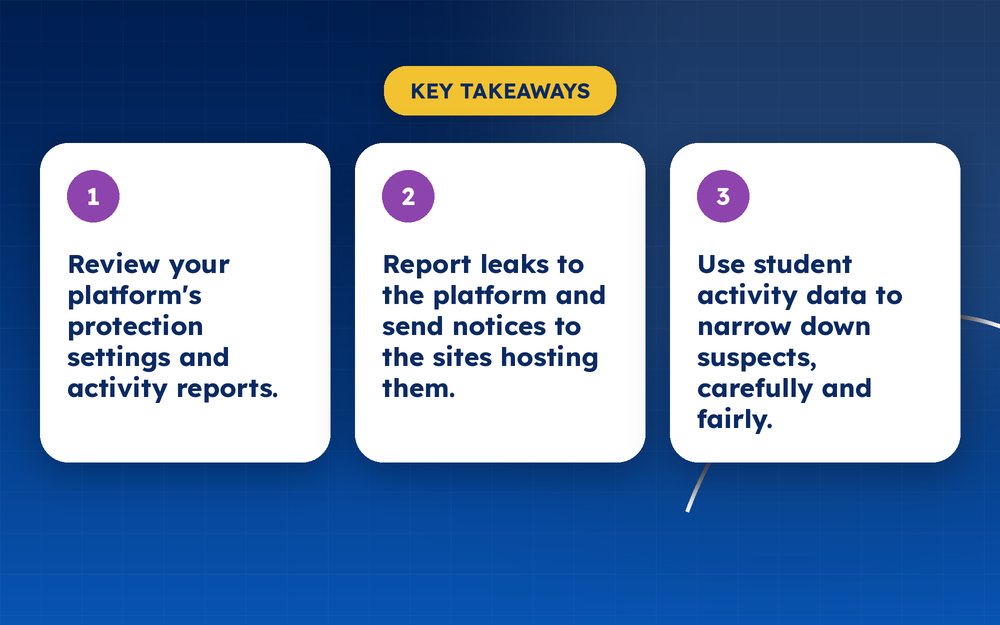
- Review your platform's protection settings and activity reports.
- Report leaks to the platform and send notices to the sites hosting them.
- Use student activity data to narrow down suspects, carefully and fairly.
How to handle a leak, step by step
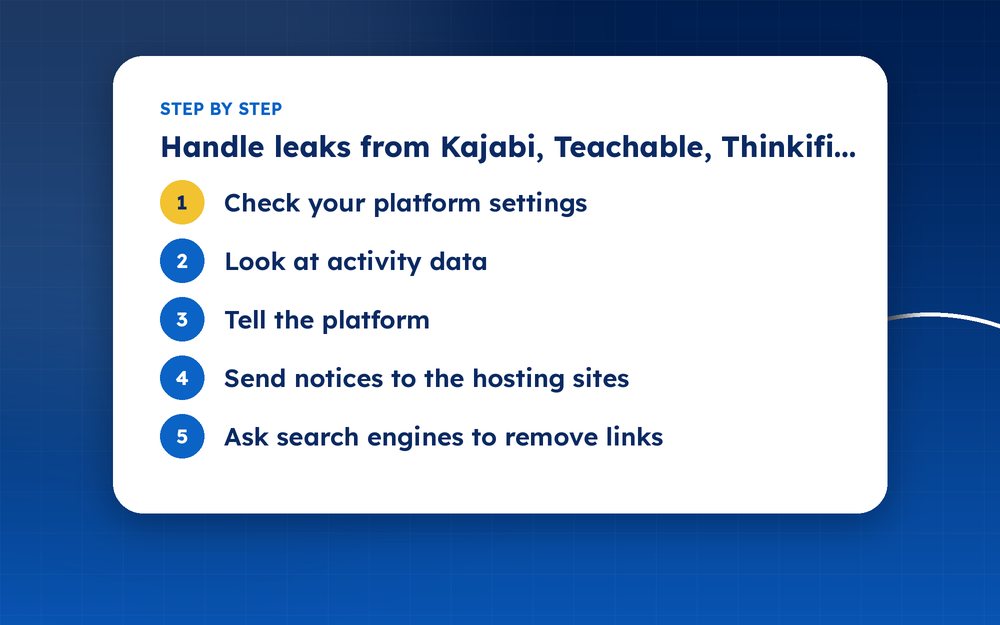
- Check your platform settingsReview download permissions, device limits and sharing controls. Review your platform's protections, such as login limits, download controls and video protection, and turn on what suits you.
- Look at activity dataCheck for unusual logins, many devices or bulk downloads, where your platform shows this. Look at student activity for unusual patterns, such as many logins from different places or bulk downloads.
- Tell the platformContact support with evidence and ask what they can do about the suspected account. Tell the platform about the leak and ask what data it can share, or what action it can take.
- Send notices to the hosting sitesFile copyright notices for each leak. Send notices to the sites hosting the copies, with proof of ownership and links.
- Ask search engines to remove linksSubmit requests for leaked pages. Ask search engines to remove links to the copies.
- Apply your terms to the buyerIf evidence is strong, suspend access in line with your terms. Apply your terms to the buyer, for example with a warning or removal of access. Document your decision.
- Strengthen protectionAdd watermarks, limit downloads and update your terms. Review protection for future launches, including watermarks and limits.
Using data fairly
Unusual activity is not proof. A student may have several devices or use a VPN. Use data to identify accounts worth checking, and combine it with watermark matches or other evidence before acting.
If your course is on a marketplace
On a marketplace, the platform controls delivery and may not give you much data. Report leaks to the marketplace and to the sites hosting the copies. Consider whether a platform you control offers more protection for premium content.
Updating your approach
After a leak, review what happened and adjust. Many instructors add buyer watermarks, reduce downloadable files and update their terms. Document these changes so they support future enforcement.
Communicating with students
A short note reminding students that sharing is not allowed, and why, can reduce further leaks. Keep it respectful and avoid accusing the group.
What a typical case looks like
A creator sees her course on a file site. Her platform data shows one account with dozens of logins and large downloads. She asks the platform for help, suspends the account under her terms and sends notices to the file site. The site removes the files, and she adds watermarks for the next cohort.
Tracing the account reduced the chance of repeats.
Common mistakes to avoid
Do not accuse a student without evidence. Do not ignore platform settings. Do not skip notices to the sites. And do not delay changes to your protection.
How a specialist can help
A specialist team can handle takedowns and monitoring while you work with your platform on access and protection. We cannot promise results, but we will be honest about what is realistic. Email us in confidence.
Frequently asked questions
How do I find which student leaked my course?
Check activity data and watermarks. Be careful and fair before taking action.
Can the platform help?
Many can share data or suspend accounts under their terms. Ask support.
Should I refund the student?
That depends on your terms and the case.
Do I still send notices?
Yes, to remove copies from other sites.
How do I prevent repeats?
Use limits, watermarks and clear terms.
Is this legal advice?
No. It is general information. For claims or court action, speak to a qualified lawyer.
Need help with this?
Every situation is different. Email us the details in confidence and we will reply with an honest assessment of what can be done.
Contact us by email Piracy monitoringThis guide is general information, not legal advice. DMCA Reputation is not a law firm.
Related guides
How to Remove Pirated Templates, Presets and Software
How to remove pirated templates, presets and software: find the copies, send DMCA notices to sites and hosts, report marketplaces and protect licences going forward.
Read the guide · 4 min
How Group-Buy and Course Reseller Sites Work and How to Shut Them Down
How group-buy and course reseller sites work, why they resell your content, and how to shut them down using notices to hosts, payment providers and search engines.
Read the guide · 3 min
How to Send a DMCA Takedown Notice (With Template)
How to send a DMCA takedown notice: what to include, who to send it to, a free template, counter-notices and common mistakes.
Read the guide · 5 min