
If you suspect private images of you are online, finding out for sure can be as stressful as the worry itself. Here are safe methods to check, and ways to avoid seeing more than you need to.
Searching for your own intimate images is distressing. The aim is to find out whether they exist, where they are and how to get them removed, while keeping your exposure to the content as low as possible.
You can search yourself, ask a trusted person to search for you, or use a professional monitoring service. Each has trade-offs, and combining them often works best.
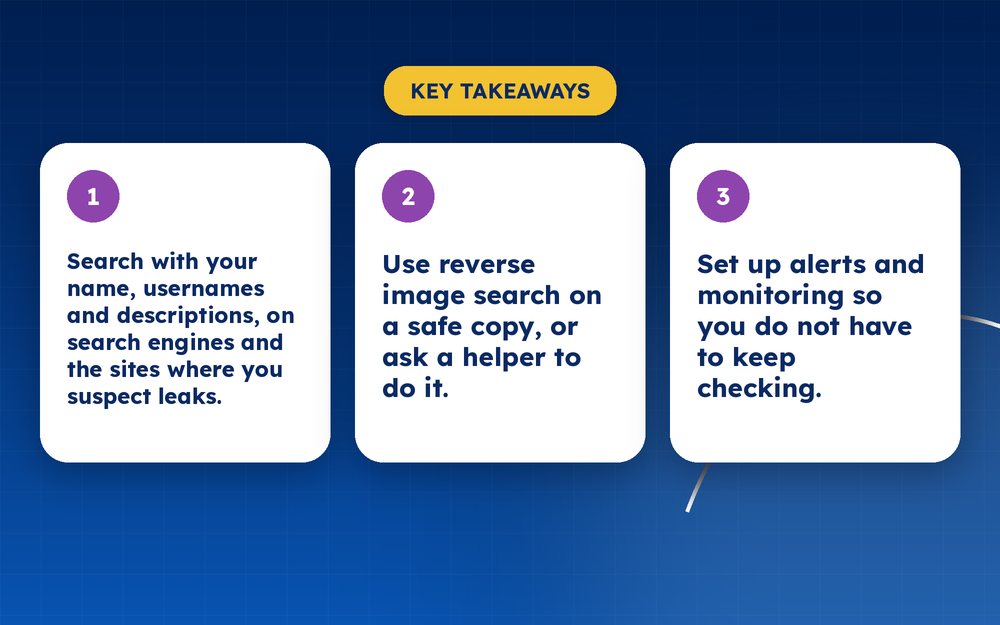
- Search with your name, usernames and descriptions, on search engines and the sites where you suspect leaks.
- Use reverse image search on a safe copy, or ask a helper to do it.
- Set up alerts and monitoring so you do not have to keep checking.
How to check, step by step
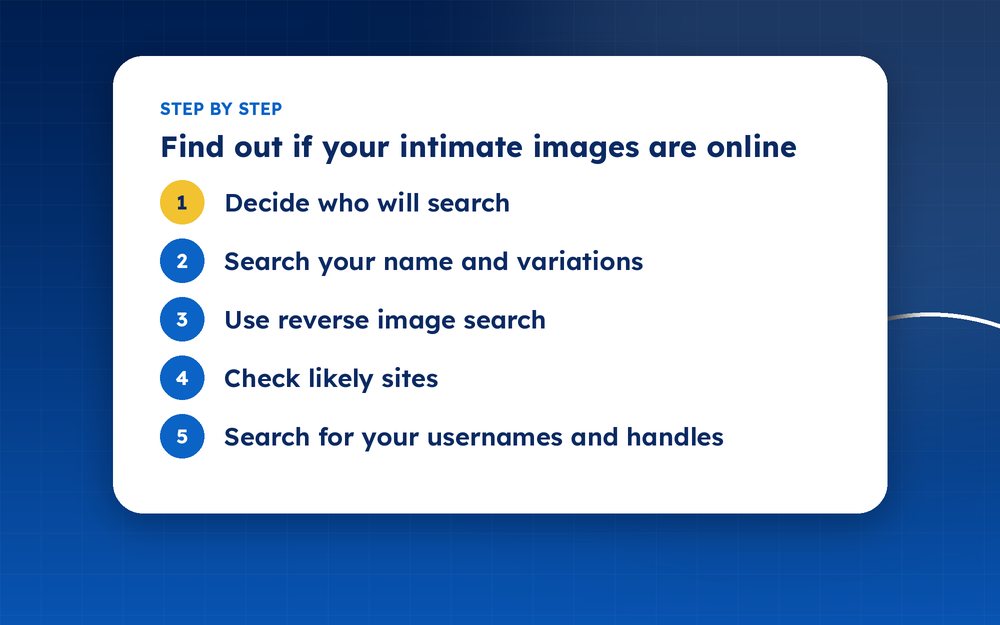
- Decide who will searchYou, a trusted friend or a professional. If you can, pick someone else so you do not need to see content repeatedly. Searching can be upsetting. Decide whether you will do it, or ask a trusted person or a service to help.
- Search your name and variationsTry your name with common words, usernames, nicknames and your city, in normal search and image search. Search your name, nicknames and usernames in quotes with common words. Check several pages and the image results.
- Use reverse image searchUpload a non-explicit photo of yourself, such as a profile picture, to find where your face appears. A professional can run similar checks on sensitive images. Use reverse image search on photos you suspect were shared. Use only images you are comfortable uploading.
- Check likely sitesLook at the platforms where you shared images, forums that discuss your platform and adult sites where leaks often appear. Check the kinds of sites where such content is often shared, such as forums and adult sites, if you feel able.
- Search for your usernames and handlesLeaks often include social handles, so search them with quotes. Search your handles and old usernames, because people often post with those.
- Set up alertsCreate search alerts for your name and usernames so you hear about new pages without searching. Set up alerts for your name and handles so new results are flagged without constant searching.
- Record what you findSave links and screenshots in a private log to use when you report. Record links, dates and screenshots, and keep them private.
Keeping your exposure low
You do not have to look at everything. Give a helper only the details they need, such as your name and usernames, and ask them to send you only links, not the content. Set a time limit for any searching you do yourself and take a break afterwards.
Limits of searching yourself
Search engines do not index everything, and many leak sites hide content behind logins or use unusual names. That means a clean search does not prove nothing exists. Monitoring services and specialists look in more places and can check on a regular basis.
What to do when you find something
Save evidence, then report to the site and to search engines. Do not reply to uploaders or comment on posts. If you suspect a particular person, keep that to yourself until you have evidence and have considered the police.
What a professional check involves
A professional search typically covers major search engines, image search, known leak and aggregator sites, adult platforms, forums and social platforms, using your name, usernames and any identifying details you provide. The results come back as a list of links with screenshots, so you can see what exists without hunting for it.
A good provider tells you plainly what was searched, what was found and what could not be checked, and does not promise to find everything. Ask how they handle your information and how long they keep it, and give them only what they need.
What a typical case looks like
A woman suspects that an ex-partner shared images but does not want to search herself. A friend searches her name and handles, runs reverse image searches on two photos and checks three sites. She finds one post, which they report with a record of the links. She sets up alerts and a monthly check.
Sharing the task made it bearable and thorough.
Common mistakes to avoid
Do not upload explicit images to random reverse image sites, which can expose them further. Do not download content you find. Do not rely on a single search. And do not blame yourself for what you find.
How a specialist can help
Specialists can search more widely than most individuals, use monitoring tools and report copies as they appear, while you stay away from the content. We cannot promise to find every copy, but we can give you an honest picture. Email us in confidence.
Frequently asked questions
Can I search without seeing the images?
Often yes, if a helper searches for you and sends only links. Professional services do this routinely.
Is reverse image search safe?
It can be, if you use a trusted tool and non-explicit images. Avoid uploading explicit images to unknown sites.
How often should I check?
Alerts and monitoring reduce the need to check manually. A periodic check every few weeks can be enough for most people.
What if I find nothing?
That is good, but not proof. Some content is hidden or poorly indexed, so monitoring adds reassurance.
Should I contact the person I suspect?
Usually not. Gather evidence and consider the police first.
Can StopNCII.org find existing copies?
No. It helps block uploads on participating platforms, but it does not search the web for existing copies.
Need help with this?
Every situation is different. Email us the details in confidence and we will reply with an honest assessment of what can be done.
Contact us by email NCII removalThis guide is general information, not legal advice. DMCA Reputation is not a law firm.
Related guides
How to Remove Ordinary Photos of You Posted on Adult Sites and Forums
How to remove ordinary photos of you posted on adult sites and forums: why it happens, how to report it, escalate to hosts and clean up search results.
Read the guide · 4 min
What to Do If You Were Filmed Without Your Consent
What to do if you were filmed without your consent: secure evidence, report to police and platforms, get recordings removed and find support. A clear, practical guide.
Read the guide · 4 min
How to Remove Non-Consensual Intimate Images (NCII), Step by Step
How to remove non-consensual intimate images (NCII): reporting, StopNCII.org, Google removal, legal options and support. A step-by-step guide.
Read the guide · 4 min