
Google Images makes leaked content easy to find. A well-prepared removal request can take links out of search results, even while the source pages are still being dealt with.
Google can remove links from search when content infringes your copyright. For creators, this usually means filing a copyright removal request listing the pages and the images that appear in results.
This does not delete the content from the site that hosts it. It makes it much harder to find, which cuts traffic to leak sites. Combine it with notices to the sites and hosts.
Image results are one of the most visible places for leaks. Removing them from search does not delete the copies, but it takes away a major route that people use to find them.
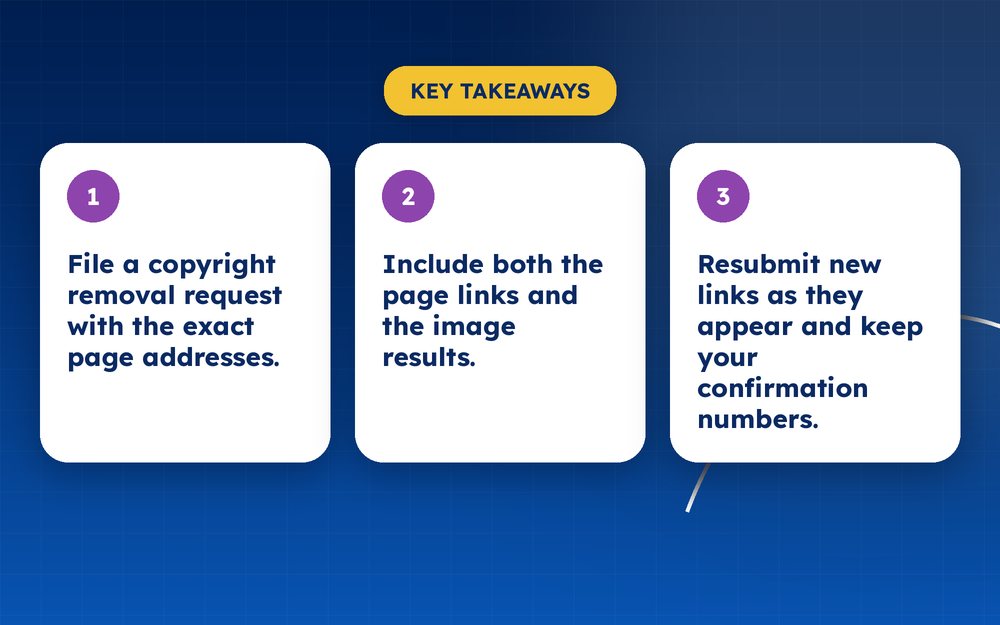
- File a copyright removal request with the exact page addresses.
- Include both the page links and the image results.
- Resubmit new links as they appear and keep your confirmation numbers.
How to submit, step by step
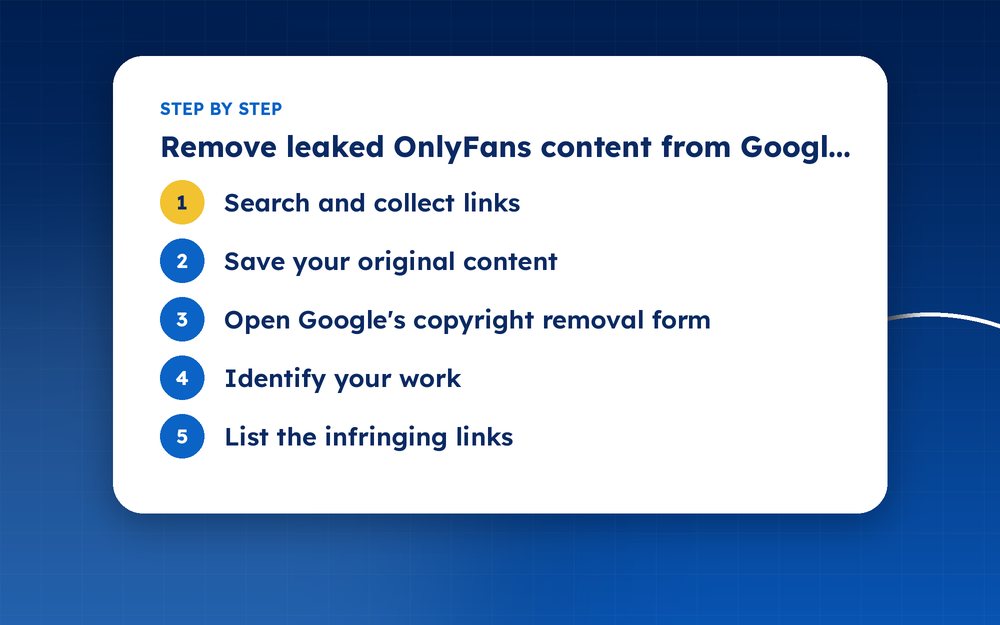
- Search and collect linksSearch your name, stage name and handles in web and image search. Record each page address, not just the image. Search your name, stage name and handle in image and web search. Copy the page addresses, not only the image addresses.
- Save your original contentHave a link or file that shows you own the content, such as your original upload. Keep the original files and dates, or links to your official pages. These show the content is yours.
- Open Google's copyright removal formSearch for Google's help page on removing content for copyright and open the request form. Open Google's copyright removal form and sign in. Choose the option for reporting infringing content.
- Identify your workDescribe the original work, such as your OnlyFans page, and link to it. Describe the work and where the original is, such as your official page.
- List the infringing linksPaste each infringing page address. Group similar ones, and keep the list tidy. List each infringing page address, one per line. Check that each is correct.
- Sign and submitComplete the statements and signature honestly, as the form requires. Review the statements, sign and submit. Save the confirmation.
- Track the outcomeKeep the confirmation emails and check results after a few days. Check status and search again after a week. Repeat for new pages.
Accuracy matters
Submit only content you own or are authorised to act for. Incorrect claims can lead to problems and may be reviewed. Check each link before submitting, and remove links that do not show your content.
Combining routes
If content is intimate and was shared without your consent, you can also use the non-consensual explicit imagery request. Some creators use both routes because they cover slightly different cases. Do not mix up the statements, and use the correct form for each.
Thumbnails and cached copies
Search results may show old thumbnails or snippets for a short time. Submitting the page address, and asking for a refresh once the page is removed, helps clear them.
A worked example of a good request
Suppose your content appears on twelve pages from three leak sites. List all twelve page addresses, group them by site, and describe your original work once with a link to your page. Submit them in one request, then check results after a few days. If two pages remain, resubmit only those and quote your earlier reference.
Creators who keep a simple spreadsheet of links, dates and outcomes find that repeat requests take minutes, and that Google and hosts respond better to tidy, accurate lists than to long messages.
Remember that search removal reduces how easily people find the pages. It works best alongside notices to the sites and hosts, and a monitoring routine for new pages.
What a typical case looks like
A creator finds dozens of images from her pages in search results. She collects the page addresses, lists them in one request with her official page as proof and submits. Most results disappear within a week. She repeats the process monthly and sets an alert for her handle.
Repeating the process kept visibility low over time.
Common mistakes to avoid
Do not submit search result addresses instead of page addresses. Do not forget to record each request. Do not rely on a single batch, since new pages appear. And do not skip notices to the host, which stop the source.
How a specialist can help
Specialists file batches of requests and track results so your name stops surfacing leak sites. We cannot promise every result will vanish, but we will be honest about what is realistic. Email us in confidence.
Frequently asked questions
Can leaked images be removed from Google Images?
Yes, on valid copyright or non-consensual content requests. The images may remain on the original sites.
How long does it take?
Often a few days to two weeks.
Do I list image links or page links?
Page addresses are usually best, so the whole page is considered.
Will they come back?
New pages may appear, so repeat when you find them.
Should I also contact the sites?
Yes, where possible, to remove the source.
Is this legal advice?
No. It is general information. For claims or court action, speak to a qualified lawyer.
Need help with this?
Every situation is different. Email us the details in confidence and we will reply with an honest assessment of what can be done.
Contact us by email OnlyFans leak removalThis guide is general information, not legal advice. DMCA Reputation is not a law firm.
Related guides
How to Remove Leaks From Leak Forums and Aggregator Sites
How to remove leaks from leak forums and aggregator sites: find the host, send DMCA notices, escalate to infrastructure providers and cut search traffic to stop the spread.
Read the guide · 4 min
How to Remove Leaked Content From Reddit
How to remove leaked creator content from Reddit: copyright reports, moderator messages, subreddit-level action and dealing with repeat posters and image hosts.
Read the guide · 4 min
How to Remove OnlyFans Leaks From Google and Websites
How to remove OnlyFans leaks from Google and websites: DMCA notices, search removal, platform reports and monitoring for creators.
Read the guide · 4 min